
RFC 27 Match Flow, Stamina Indicators & Results
Last updated:
From kickoff to the final whistle, RFC 27 displays prompts and statistics that help you follow the match and read your performance.
At the center circle, tap PASS when prompted to kick off. TIRED indicates low stamina. During a goal replay, use SKIP to vote and look for YOU VOTED. Full-time results show your rating, goals, assists and any MOTM award; the halftime Player of the Match panel is not the final award.
Kickoff, Halftime and Full-Time
A match moves through the first half, a halftime screen and countdown, the second half, and the full-time results. The second-half kickoff uses the in-game clock at 45:00. Play can also continue into stoppage time.
When your player receives the TAP PASS TO KICK OFF prompt at the center circle, tap PASS to restart play. After a goal, follow the same prompt when it appears. In the Portuguese interface, the button and prompt use PASSE.
For other match inputs, see the mobile controls and controller prompts.
What TIRED Means
TIRED indicates low stamina, and the player's status bar can turn red. A tired player can still move and carry the ball.
Halftime Statistics and Substitutions
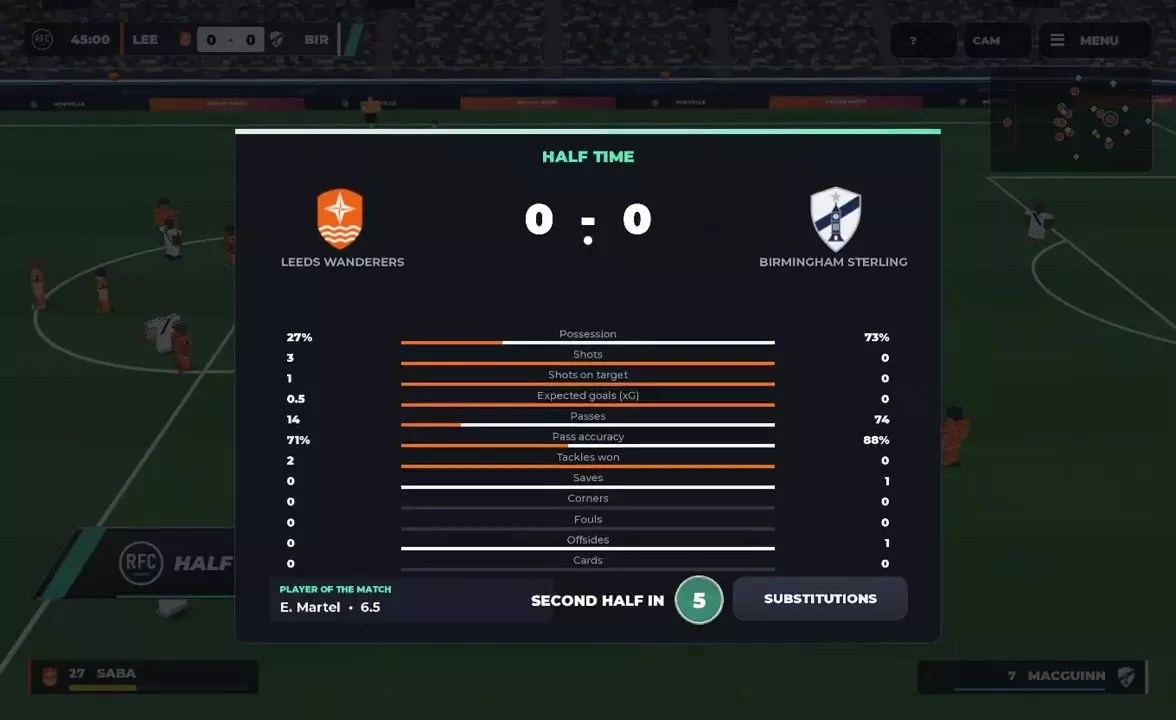
The HALF TIME screen shows the score, goal records, team statistics and a PLAYER OF THE MATCH panel. Compare possession, shots, passing and defensive figures before the countdown leads into the second half.
The halftime Player of the Match panel reflects the match at that point; it does not determine the final award. If your halftime screen includes SUBSTITUTIONS, select it to enter the player-change menu.
Free Kicks, Corners, Throw-Ins and Yellow Cards
A free kick can place the taker facing a defensive wall and the goalkeeper. Corner attacks can be finished with a header, while a throw-in restarts play from the touchline with the player holding the ball overhead.
A YELLOW CARD banner names the player receiving the caution. RFC 27 also supports one-touch passing, volleys, headers and skill moves during matches.
Vote to Skip a Goal Replay
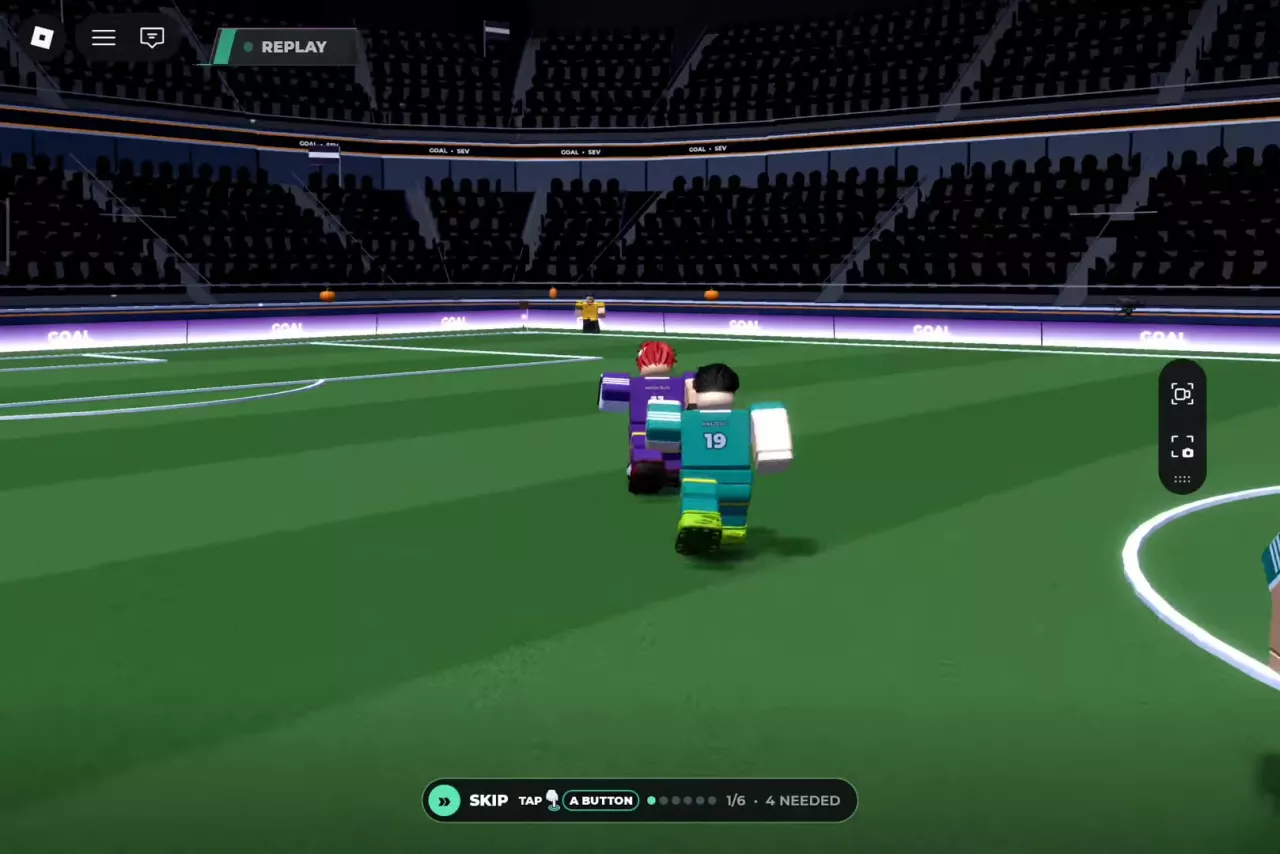
During a goal replay, use SKIP to vote to move on. If an A BUTTON prompt appears, follow it to cast your vote. In the Portuguese interface, the skip option is labeled PULAR.
YOU VOTED confirms your vote. The counter and NEEDED label show the current voting state and the required number of votes.
Read Your Rating, Goals, Assists and MOTM
At full time, the team result screen can show the final score, scorers, match statistics and player of the match. Your personal result shows your match rating, goals and assists; MOTM means Man of the Match and appears when you receive the award.
The team result and individual rating describe different things. In a 3–2 win, one player finished with an 8.0 rating, one goal, one assist and MOTM. In a separate 2–8 loss, a player received a 7.7 rating with one goal and no assists. These are individual match results, not rating or award thresholds.
Select CONTINUE to move on from a result screen. On My Player results, PLAY AGAIN leads toward another match and UPGRADE MY PRO opens the player-upgrade entry. See match rewards for earning and claiming benefits, or My Player upgrades for spending skill points.