
RFC 27 My Player: Create Your Pro & Join a Match
Last updated:
My Player lets you create a pro and take them into live multiplayer soccer matches. Choose a position and body build, then head to the lobby to find a game.
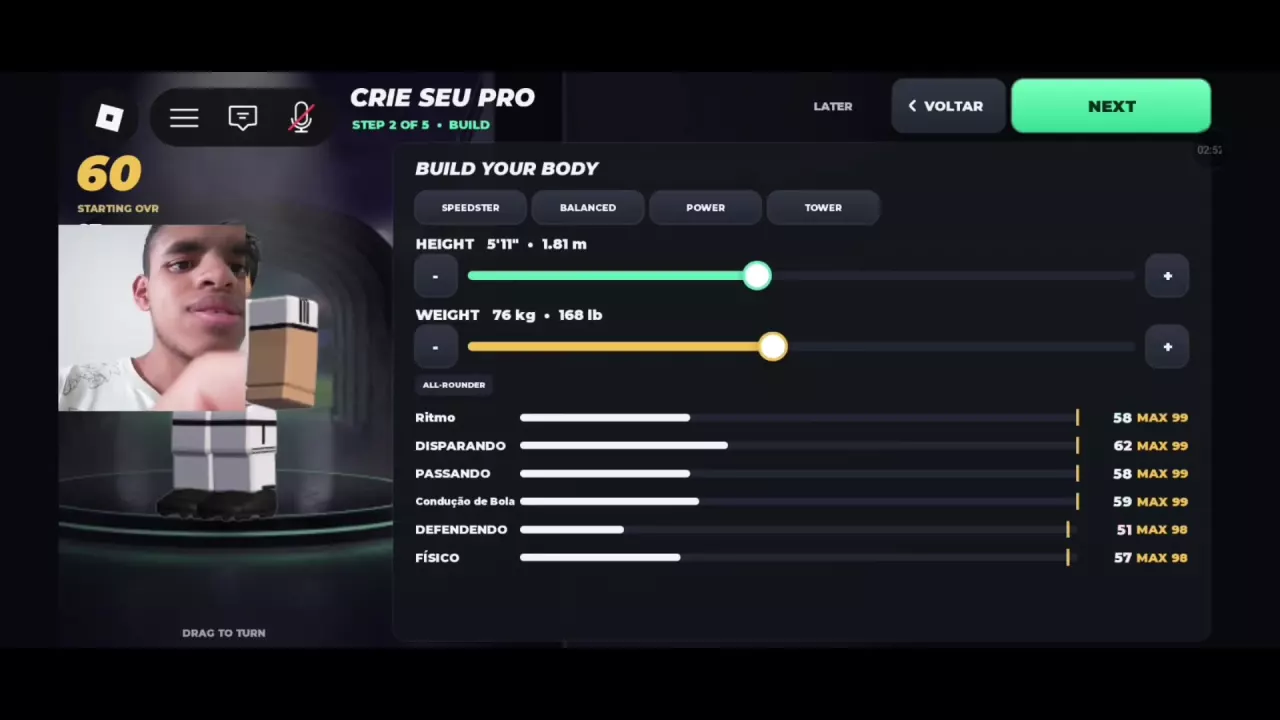
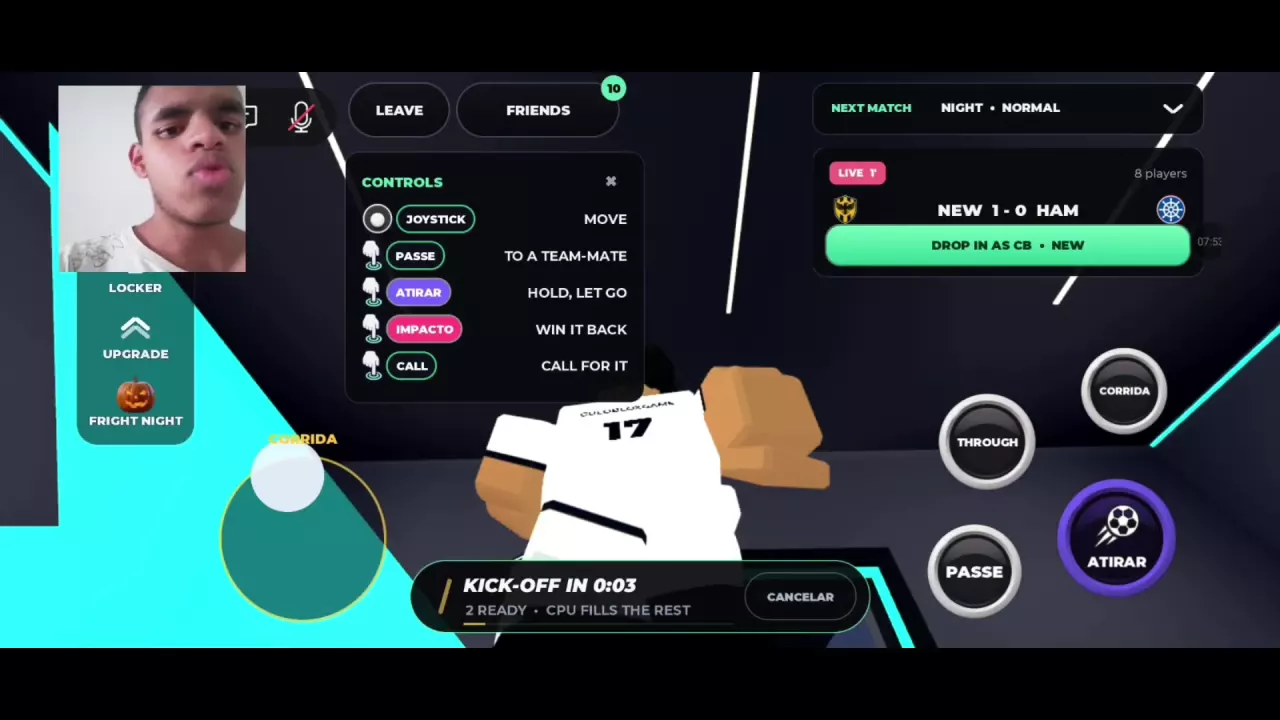
Choose a position during player creation, then select a body preset and adjust your height and weight on BUILD YOUR BODY. Enter My Player and select FIND MATCH; players are matched across servers and CPU teammates fill vacant positions. When DROP IN AS CB appears, you can join a match already in progress as a center back.
Your Pro, Position and Match Format
My Player puts your custom pro into live multiplayer matches. Play matches, level up and improve your attributes as you work toward 99 overall.
The Fright Night interface describes live 5v5 matches. Another My Player menu describes live 7v7, so check the format shown in your menu.
Choose a Position and Build Your Body
Player creation has five steps. Choose your position in the creation flow; ST, or striker, is one available option.
On BUILD YOUR BODY, choose from SPEEDSTER, BALANCED, POWER and TOWER. Adjust your height and weight with the controls and review the attributes displayed on the screen, then select NEXT to continue creating your pro.
Use Find Match and Wait for Kickoff
- Select My Player from the main menu, or use PLAY / FIND MATCH on the home screen.
- In the My Player lobby, select FIND MATCH. In Portuguese, the button is labeled ENCONTRAR PARTIDA.
- Wait for the kickoff countdown to enter the match.
Matchmaking brings together players from different servers. CPU teammates fill positions that players have not occupied.
Drop In as CB or Practice While Waiting
When the lobby offers DROP IN AS CB, select it to join a match already in progress as a center back. This is a position offered for that match, not a permanent position change.
While waiting for the next game, you can visit the Practice Pitch. The next-match countdown and TAP TO JOIN entry remain visible there. See the Practice Pitch guide for the route.
Squad Up and Your Next Upgrades
Find SQUAD UP on the home screen. It advertises +10% skill points (SP) per friend when playing with friends.
My Player matches earn XP, and leveling up awards skill points. Spend those points on attributes through UPGRADE to develop your pro. For the spending controls and a striker setup, see My Player skill points and upgrades.